
ChatGPT sent someone to your website today. You have no idea who, or what happened next.
The Problem
You have been searching “connect Google Analytics to ChatGPT” or “is there a GA4 for ChatGPT” because you have noticed something changing: people are finding businesses through AI conversations now, not just Google searches. But when you open GA4, that traffic is invisible — buried under “Referral” or “Unassigned,” indistinguishable from random spam clicks. You cannot see how many visitors ChatGPT sent you, let alone whether any of them converted.
The Insight
Here is what most people searching for this get wrong: there is no separate “Google Analytics for ChatGPT” tool to install. GA4 already has everything it needs to track this — it just is not configured to recognize AI referral sources by default the way it recognizes Google or Facebook. The fix is not a new tool. It is a configuration change inside the GA4 you already have.
The Proof
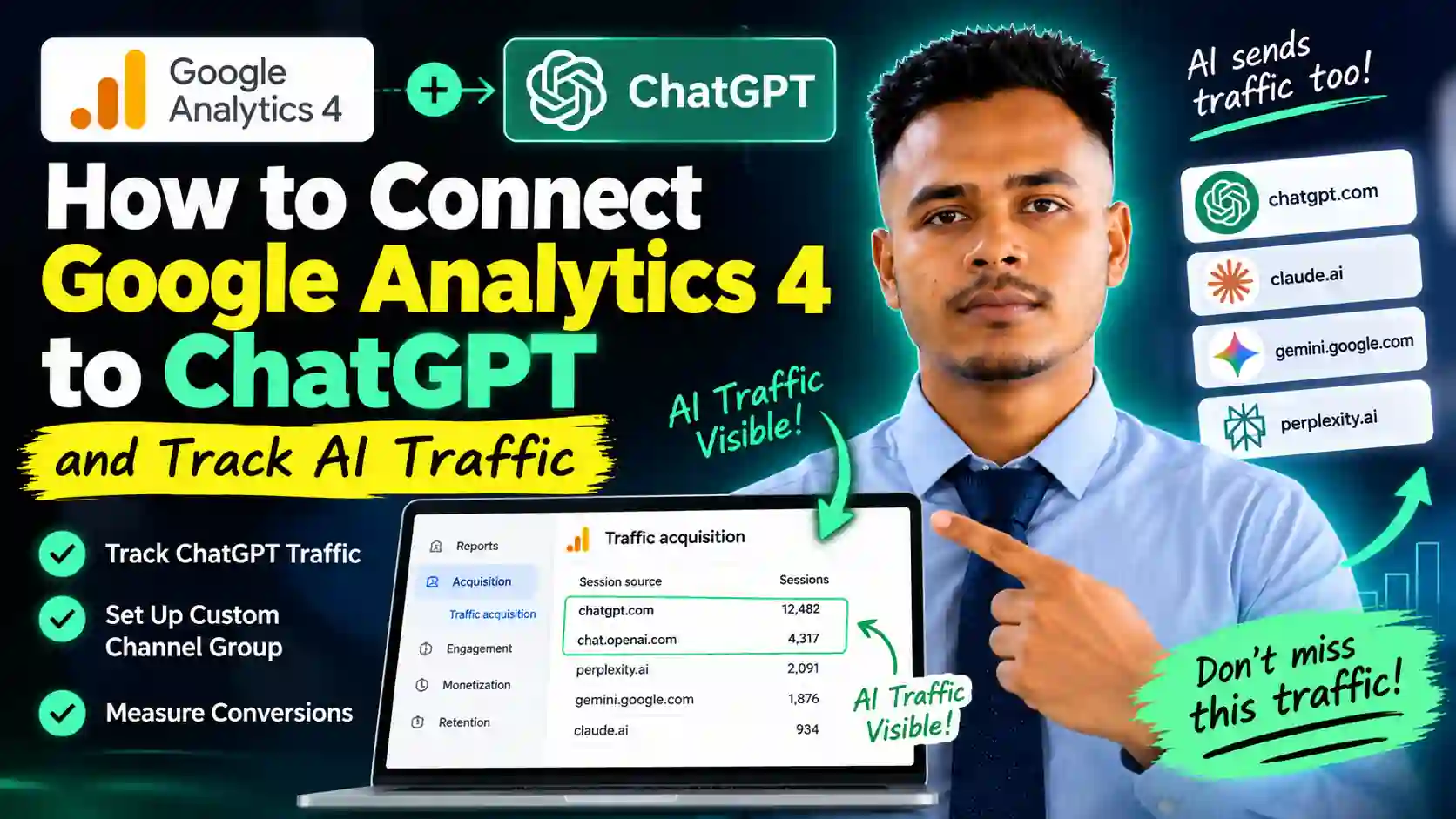
When you check Reports > Acquisition > Traffic acquisition in GA4, AI referral sources like chatgpt.com and chat.openai.com often show up as raw source values rather than a clean, labeled category. Recent GA4 updates have started grouping some of this automatically, but older or unconfigured properties still miss it entirely — which is exactly why so many people end up asking whether an “AI analytics equivalent” exists. It already does. It is just not switched on properly.
The Action: How to Set It Up
- Check your current traffic acquisition report for AI-related source values (chatgpt.com, chat.openai.com, perplexity.ai, gemini.google.com).
- Create a custom channel group in GA4 Admin to explicitly separate “AI Referral” traffic instead of leaving it lumped into generic Referral or Unassigned buckets.
- Build a dedicated Explore or Looker Studio report filtered to these sources, so the trend is visible over time without manual digging.
- Connect it to conversion tracking so you see not just that ChatGPT sent a visitor, but whether that visitor converted. This uses the same GTM foundation covered in our complete guide to Google Ads conversion tracking with GTM.
Why Acting Now Matters
AI referral traffic is still small for most businesses — which is exactly why this is the moment to fix it. Set this up now, and by the time AI-driven traffic becomes a serious channel, you will already have months of clean trend data instead of scrambling to backfill it later.
Get This Set Up Correctly
Custom channel groups, source matching, and connecting it to real conversion data is easy to get subtly wrong — and a wrong setup gives you a dashboard that looks fine but reports the wrong numbers. If you would rather have this configured correctly the first time, book a free consultation and we will check exactly what your GA4 property is missing.